Use Snowly with ChatGPT, Claude and other AI assistants
Connect your Snowly to an AI assistant, then ask it anything about your skiing: your days, your bests, your friends' trips and how the resorts are doing. It can plan trips for you too, and only sees what you let it.
Ask things like…
- What does my skiing say about me?
- How does this season compare with last season so far?
- Which was my best day, and what made it?
- Which trails at Niseko do I ski most?
- Who's skiing this Saturday, and where?
- Where's the most new snow this week, among resorts I've skied?
- Plan a trip to Zermatt from 12 to 15 February.
- Which lifts at Whistler are quiet right now?
Connect your assistant
Open Snowly’s connection page from your assistant. Sign in to your existing account on that page, or open Snowly on iPhone. Review Read and optional Write, then choose Allow. Enter sign-in codes only on Snowly’s own page, never in the chat.
ChatGPT
The Snowly ChatGPT plugin is currently private and available only to accounts with access. Public directory publication is still being prepared. Eligible users can open it and connect; otherwise use a custom MCP connection if your ChatGPT account supports one.
Open private plugin →Other assistants
Add a custom MCP connector in your assistant's settings, paste the address below, then allow it in Snowly.
If your assistant asks for an address, use this one:
https://getsnowly.com/mcpWhat can it do?
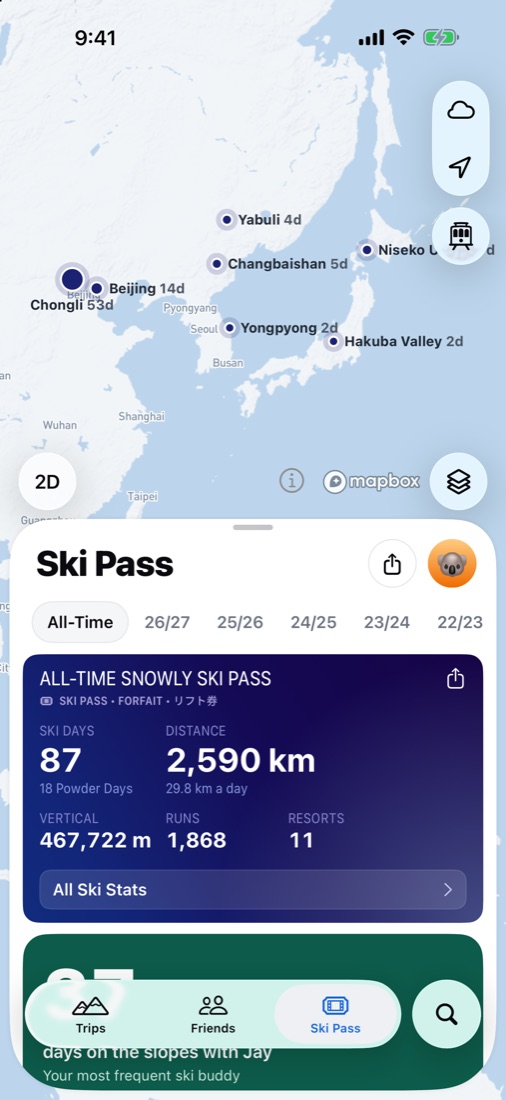
- Ski days: Read your passport, every ski day with its runs and lifts, your records and how you ski each trail.
- Trips: See your trips, plan new ones, change their days or resort, and leave or delete them when you ask.
- Friends: See your friends' names and their trips that aren't private, to find who's skiing where.
- Invites and meet points: Suggest inviting friends or a place to meet. Snowly asks you, and nothing is sent until you tap Send.
- Resorts: Look up any resort: seasons and hours, trails and lifts, what's open now, where it's quiet and the snow forecast.
You stay in control
- Read, or also write. Read lets the assistant retrieve your ski days, runs, lift rides, records, trips, friends’ names and trips already visible to you. Ski-day records may include average and maximum heart rate and active energy previously saved in Snowly. These health values are included in Read; there is no separate health-data switch. It cannot retrieve GPS tracks, live location, private messages or SOS data. Write additionally lets the assistant create, change, delete or leave trips, prepare invitations and meet points, and send feedback to the Snowly team when you ask. Invitations and meet points remain proposals until you tap Send in Snowly. Sent feedback cannot be recalled through the assistant.
- Every change on record. Everything it changes is in the connection's activity. A trip it added, changed or left can be undone for 7 days.
- Some things stay off limits. It never sees your location, tracks or SOS, or your friends'. It can't record or edit ski days, add or remove friends, or touch your account or payments.
- Disconnect any time. Snowly receives the tool inputs needed for the requested action and returns the corresponding results to the connected assistant. Its provider handles those results and your conversation under its own privacy policy and settings. Snowly records the connection, permissions, use times and changes to support the connection, show activity and prevent abuse. Change permissions or disconnect in Settings › Connect Your Agent. Disconnecting prevents further access; it does not delete information already held by the assistant or undo completed trip changes or feedback.
For developers
Snowly's MCP server is at https://getsnowly.com/mcp and signs in with OAuth, so it works in any app that takes an MCP server's address. In Claude Code:
claude mcp add --transport http snowly https://getsnowly.com/mcpIn Cursor, VS Code and other apps with an MCP config file:
{
  "mcpServers": {
    "snowly": {
      "url": "https://getsnowly.com/mcp"
    }
  }
}
Questions
Does it cost anything?
No, it's part of Snowly for everyone, without Pro. Some assistants need a paid plan to add connectors.
Does Snowly use my data to train AI?
No. The assistant gets only what it reads when you ask it something. How it keeps your conversations is up to that assistant and its settings.
Can I connect more than one assistant?
Yes. Each has its own connection and permissions. Connecting the same assistant again replaces its old connection.
Something isn't working.
Write to support@getsnowly.com and say which assistant you use and what you asked it.
See you on the mountain.
For iPhone and Apple Watch. Requires iOS 26 or later.